Last online: devvv547, cocoav0, erossini0, Freak19801, Vadi0, wischmoep0, redforce82, Funny0, CreativeDaniel3, buran0, Mhenlo0, punk76340
The GIMP
» All GIMP shortcuts / hotkeys
» GIMP changelog
» What's new in GIMP 2.6
» GIMP manual
» Books about GIMP
First Windows build for GIMP 2.5 available! GIMP 2.5.3 development snapshot released GIMP 2.4.7 released Dev version: GIMP 2.5.2 available Preview: What's new in GIMP 2.6? GIMP 2.6 nears
Planet in a wireframe model Create a shield symbol A colored swirl of light Spicing up black/white images Smelting text / Creating blood text How to change a boring sky to a cool cloudy sky
- 28 Aug 2008 10:38 PM [gimp-developer] patch for scale-region.c
- 28 Aug 2008 04:34 PM [meetthegimp] First Windows build for GIMP 2.5 available!
- 28 Aug 2008 11:51 AM [gimp-developer] gegl resize script, anyone?
- 28 Aug 2008 11:34 AM [gegl-developer] Multiple Auxiliary Inputs Operation
- 28 Aug 2008 09:54 AM [gimp-developer] patch for scale-region.c
- 28 Aug 2008 08:48 AM [gegl-developer] Multiple Auxiliary Inputs Operation
- 28 Aug 2008 08:47 AM [gegl-developer] Multiple Auxiliary Inputs Operation
- 28 Aug 2008 05:39 AM [gimp-user] control clone tool?
Difficulty: 
GIMP version: 2.6
Category: Basics
Author: devvv
Steps: 14
Needed time: ca. 15 min
Hits: 42650
Related pages:
Others from this category:

Facts and numbers
Current version: 2.4.7
Dev. version: 2.5.3
39 tutorials with
39 downloads,
185 news and
11779 list messages

Tutorial: Preview: What's new in GIMP 2.6?
Written by devvv (08 Jul 2008 04:07 PM)
For GIMP 2.6, the developers had a strong focus: the implementation of GEGL should replace the old GIMP core. These changes are mainly invisible to the common user, but besides that many other very useful things have been done to help users in the future. This preview gives you an overview of what has been done for GIMP 2.6. (SVN: 08 Jul 2008)
- GEGL & a change in graphical user interface (UI)
The main focus for GIMP 2.6 was the implementation of GEGL. While most users won't notice the changes under the surface, some things can be seen clearly:
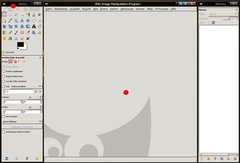
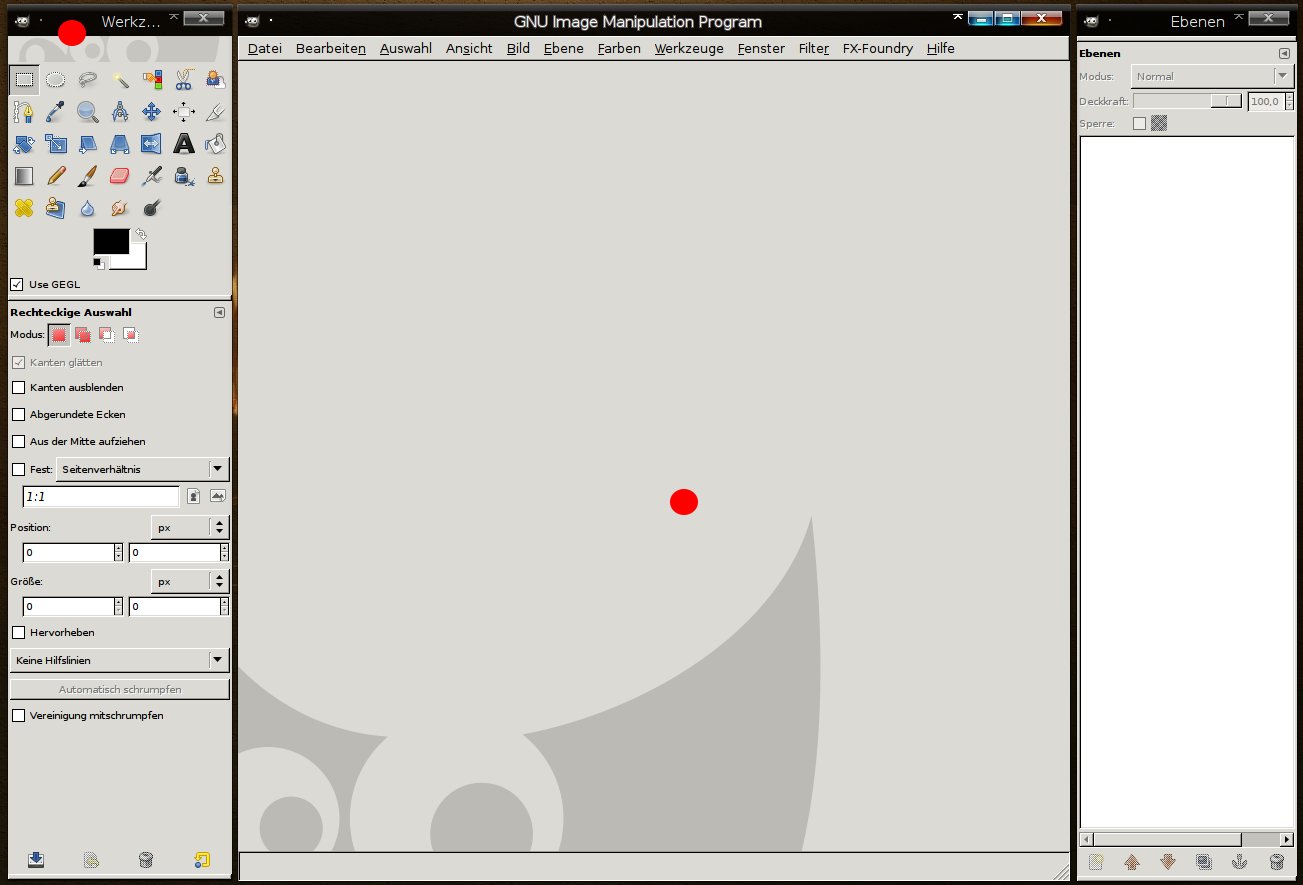
The duplicate file menu entries (one in the toolbox and one in the image window) are gone. From now on, only one file menu will be displayed in the image window, so there's always at least one window opened which contains the entry, even if there is no image open (then a grey container is displayed).
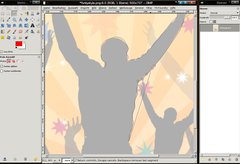
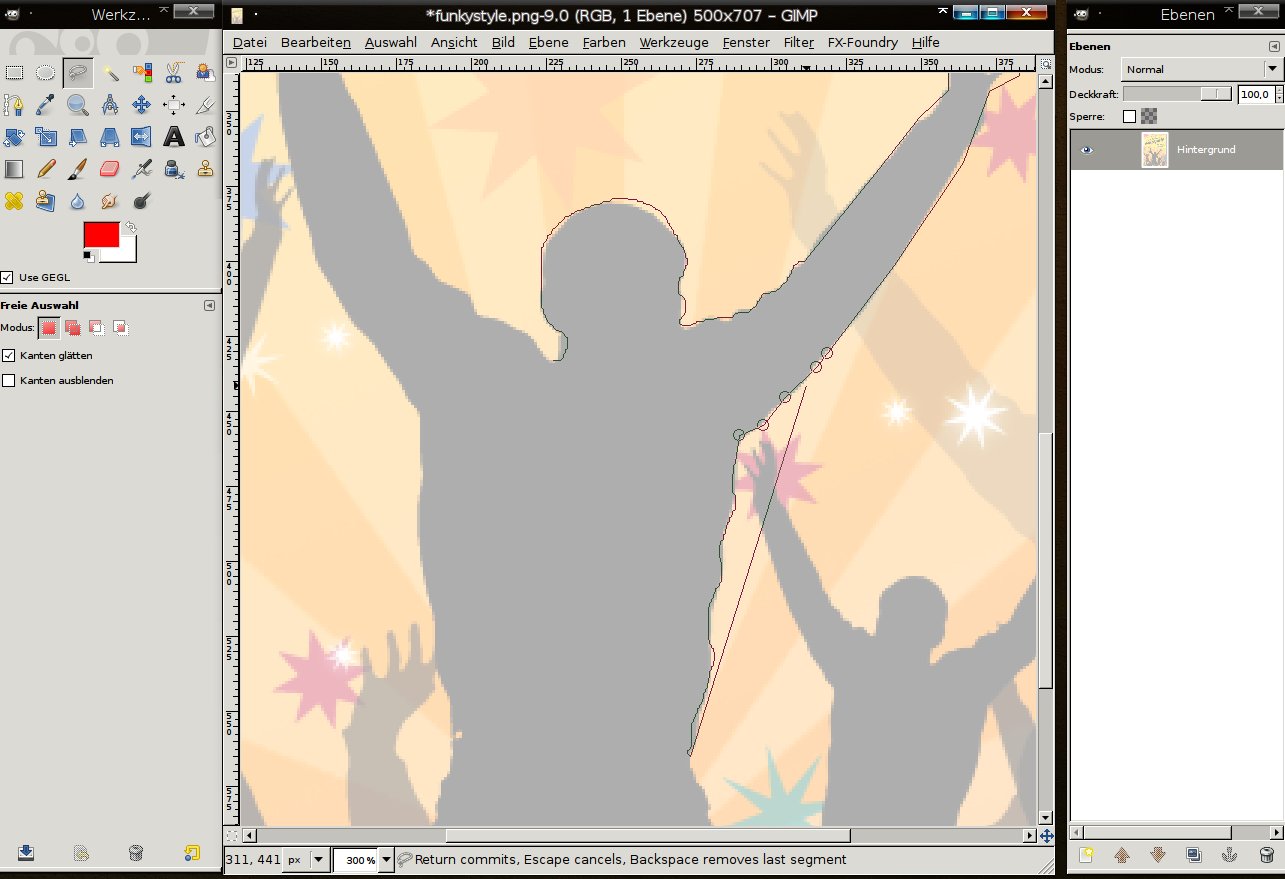
click to enlarge - Excellent: The heavily enhanced free selection tool
Free Select has been improved! You have the possibility to select using free hand and combine this selection with polygons that you set by clicking instead of moving the mouse. So you can easily combine round free hand selections with straight lines.
If you are in the making of a selection you can move your mouse over a part of the selection and re-adjust the points you set by dragging them. It's now used a little more like the paths-tool. You can also hold CTRL on your keyboard to get straight lines in a 15°-angle.
When you want to end a selection you can click the starting point - then the selection is displayed on the screen! It's a truly excellent selection feeling!
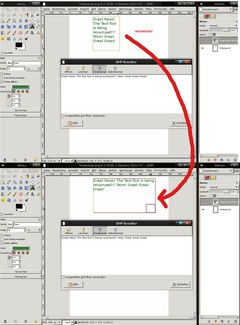
click to enlarge - Please notice: The new text tool may probably not be implemented in 2.6. If the tool is not getting a final touch-up, we will see the old text tool of GIMP 2.4 in GIMP 2.6.
NEW Usability-Feature for the text tool
Finally: The developers have started to enhance the text tool! In the current version you can create a text layer and change its size by drawing a text rectangle. In this rectangle, the text is written through a dialog box (which hopefully is replaced by direct on canvas editing somewhen in the future). Right now it is however already very useful, because you don't have to make manual breaks - they're done automatically when the text comes to the right border of the rectangle.
And the best is: you can adjust the rectangle anytime!
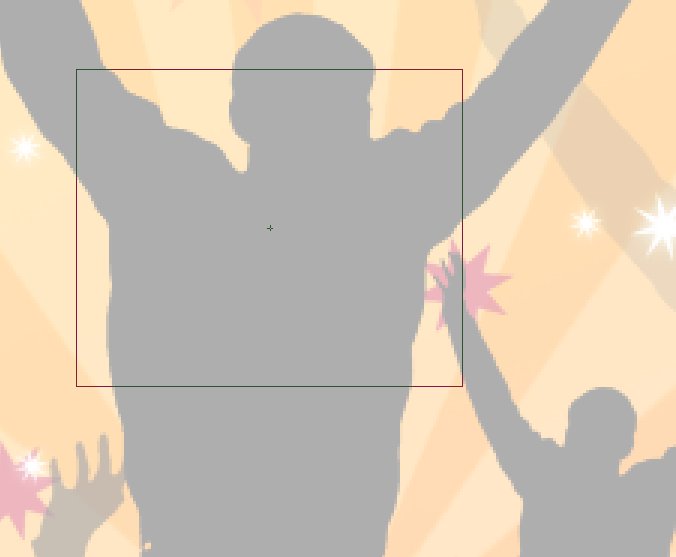
click to enlarge - The center of moved selections or layers is now displayed through a little cross in the middle. Also this cross is magnetic when you use grid and / or rulers.

click to enlarge - The status bar has been improved: It displays more information now - for example the aspect ratio of a drawn up rectangle selection is now displayed - and of course you'll see many other information when using other tools.
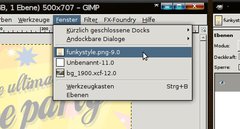
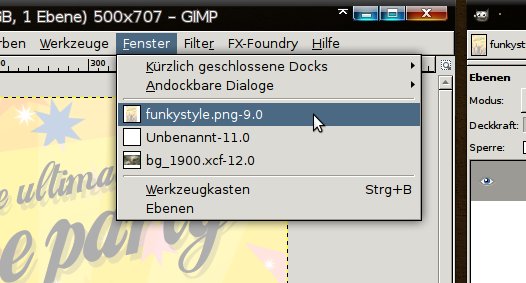
- Menu bar: The "Dialogs" are replaced with the "Windows"-entry. In the new Windows entry you can dock/undock dialogs and you can switch between all open windows. You don't have to use the task bar anymore.

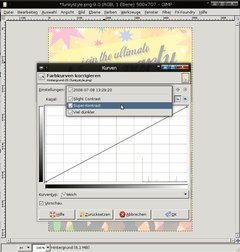
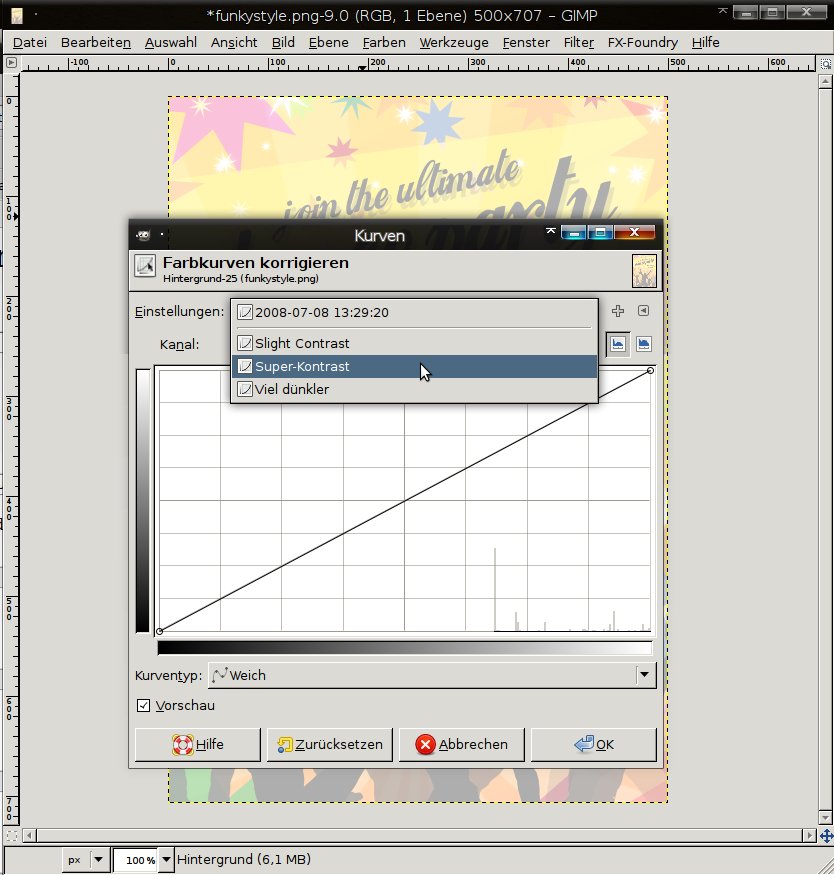
click to enlarge - Curves improved
In the Colors / Curves dialog you'll be able to save your own curves now for future use. This is very usefuly if you have more than one image that needs the same curve to be adjusted.
You can save them with a name and load them in a very simple drop-down way.
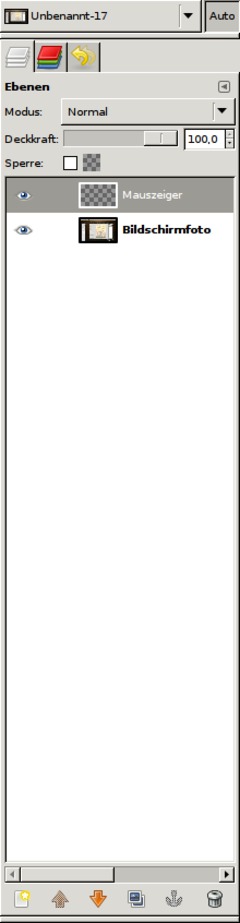
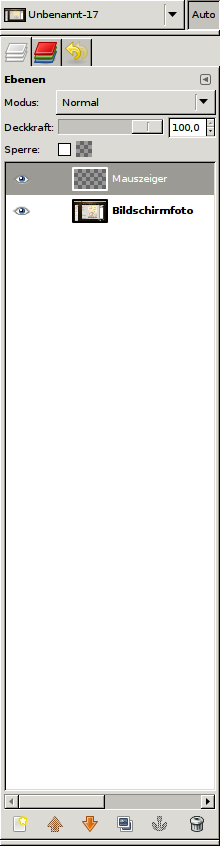
click to enlarge - Screenshots
If you take a screenshot with GIMP's built-in screenshot tool you now have the option to save the mouse pointer into a seperate layer.
This is cool, because if you need to demonstrate some other parts on the shot you can simply drag the pointer to another position - or you can just make it invisible without altering the original shot.
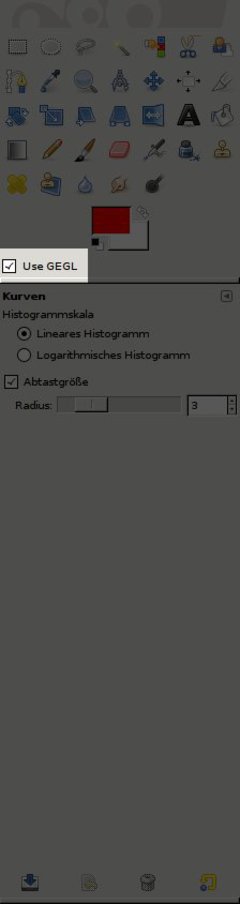
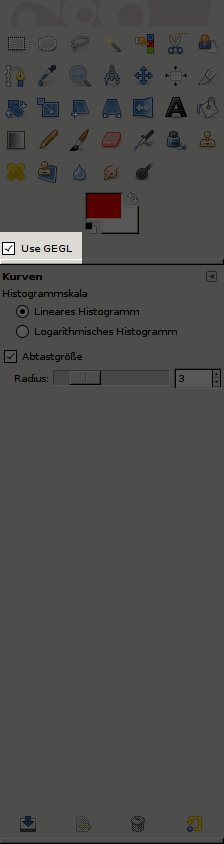
click to enlarge - Optional GEGL support
You can choose if the color operations shall be rendered with the new built in GEGL core or with the old GIMP core.
click to enlarge - At the Zoom drop down you're able to enter own and specific values now (i.e. 105%).

click to enlarge - The Scale-Tool does have a opacity ruler in the options of the tool (not in the popup). This helps you to see what's behind the scaled layer.
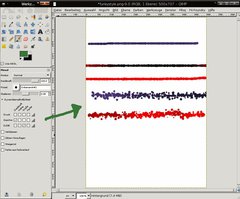
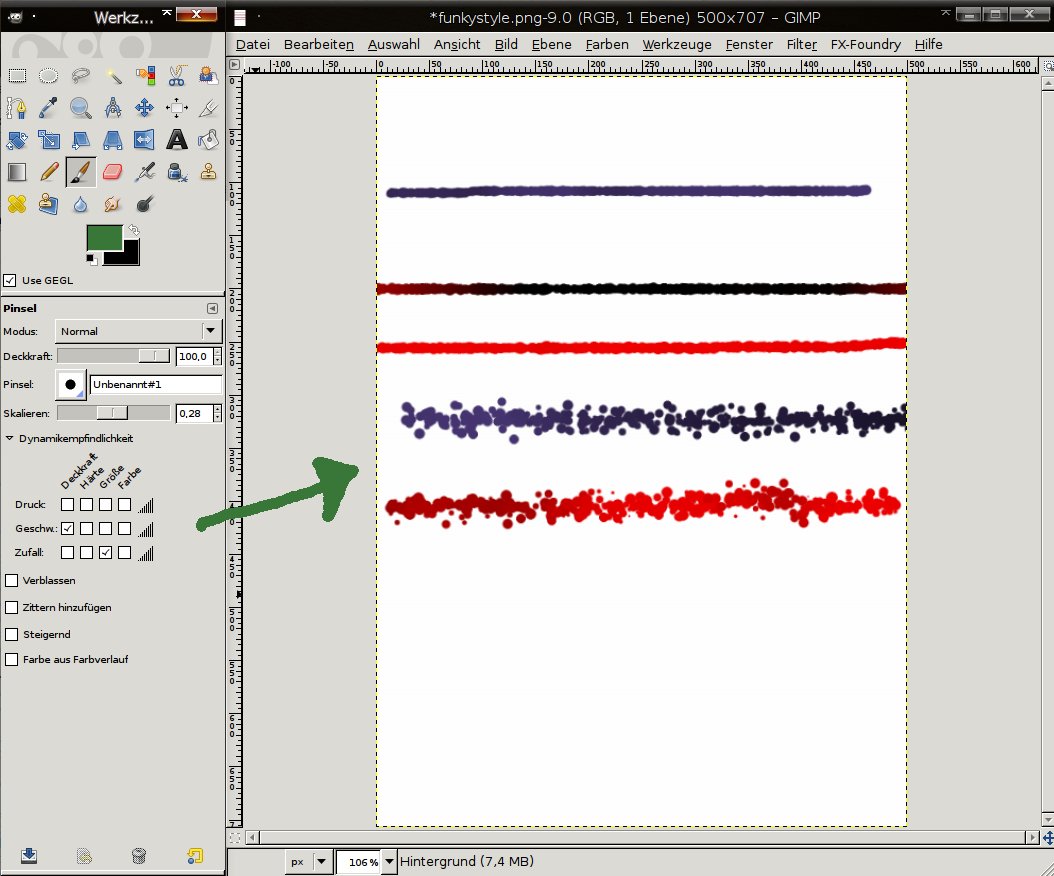
- NEW & Cool: Brush-Dynamics
Formerly the pressure values in the brushes mostly affected the users with graphics tablets. Now the options have been greatly increased.
This is very usefuly for painters, for example. You could now use a speed-option to determine a special for a brush. A special is for example that a brush is losing opacity while moving very fast, or you could add an option that changes the brush size while moving very fast.
This is definately a cool new improvement of the brushes.
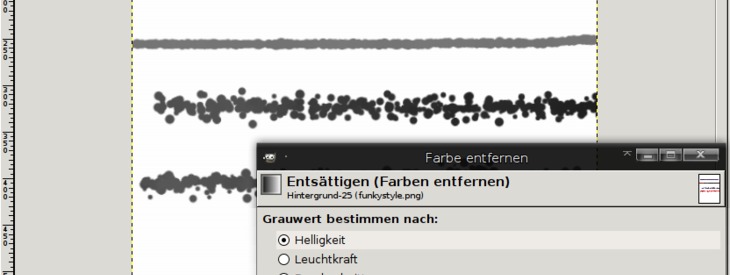
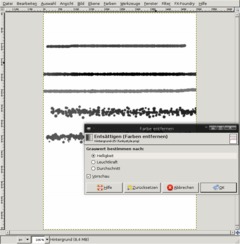
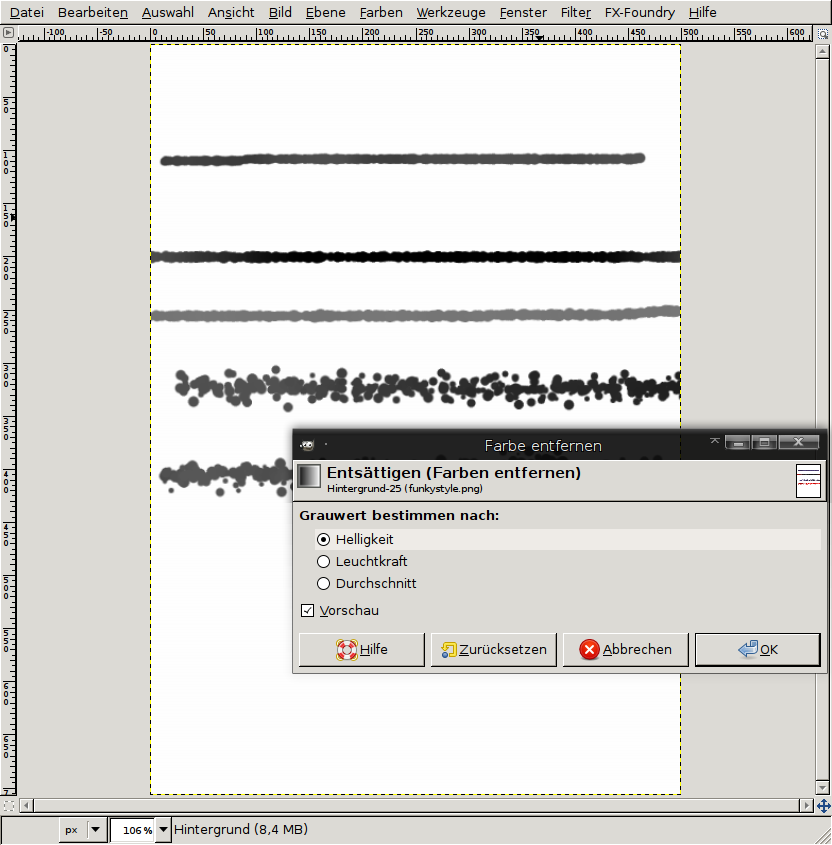
click to enlarge - Desaturate with a preview
The Colors / Desaturate Filter is now called a tool - which makes it possible to have a live preview of the desaturated image in the background.
click to enlarge - Even more changes:
* The Flames Plugon gets 22 new variations
* Alpha to Logo Scripts improved
* Preferences: Folders Brushes, Fonts, etc. are now searches recursively, so the sub directories are not left out
* The smear tool now uses scalable brushes as well
* Smaller and clearer tool options
* Whirl and Pinch has a bigger radius now
* the Photoshop (PSD) file import plugin has been rewritten from scratch and offer much more options and improvements
* Printing: The page setup is now an own option (it has been taken out of the print dialog)
* New hotkey to set the default value of a sclable brush (Backspace)
And of course there are many many more changes, mostly of technical nature!
A preview version of GIMP 2.6 should be released somewhen in July, however the final release will probably be in august.
Big Features, such as 16 Bit color support or native CMYK color space are not included in GIMP 2.6, however with the implementation of GEGL the road is now clear to develop such features in upcoming versions. Hopefully in 2009 with GIMP 2.8.
This work is licensed under the following license: Creative Commons Attribution-NonCommercial 2.0 Austria.
Discussion / comment this tutorial
Post your own comments, questions or hints here. The author and other users will see your posting and can answer to it. Of course, you can also ask in the chat.
Newer comments are displayed first!
From: StoneWolf (23 Jul 2008 05:50 PM) – Send a private message
The best news I read here are the single framework and the improvement of the free selection tool but Does it allow to place selection points between two already placed ones, I mean after selection is completed
Example
I have this x-------x
and I want to have this x---x---x
From: Andreas (21 Jul 2008 04:48 PM)
What I think is coolest about this release is the short time since the previous one. Congratulations to all!
From: andotyjazz (16 Jul 2008 09:28 AM) – Send a private message
@Simanek. I really have to agree with your point. Almost all of my works are web related, so its perfect for me. Making the most out of GIMP will give you great results.
From: Simanek (16 Jul 2008 06:11 AM)
As a professional designer that knows a great deal about Photoshop, GIMP is so very close. People complaining about how superior Photoshop is apparently don't know very much about it, nit-picking over superficial differences. In reality the only major features that the GIMP is lacking currently are support for CMYK color space, layer grouping and non-destructive layer styles. There may be some other specialized features that some users ultimately need, but for design work the GIMP is almost complete. Keep up the good work!
From: vadi (15 Jul 2008 03:54 PM)
jeni, thanks for your contribution to the Troll Cave! http://vadi-blog.com/2008/07/15/the-troll-cave/
From: agimpuser (15 Jul 2008 03:34 PM)
Can't understand the whining about UI as this program is free!
Just set the tool-windows to 'always on top' and stack the important panels together for less clutter.
No problem whatsoever!
From: r080 (13 Jul 2008 04:22 PM)
@josvazg learn to use your WM instead of trolling
From: josvazg (13 Jul 2008 01:12 PM) – Send a private message
Multiwindow apps were in fashion like 7 years ago. After a short while every one, in every platform (MAC, Win, Linux, BSD, etc) came to the realization that they were a REALLY BAD idea:
- You have to be looking for windows beneath others.
- Moving or looking toolbars that "are in the way" or disappeared...
Basically you lose time in things that "get in your way" instead of doing actual work with the application.
Now that fashion has thankfully GONE away and NOBODY still uses it, apart from the Gimp.
I am NO PS user, I am more of a developer using Linux 90% of the time and I look forward to a Gimp release with single window interface, just like Eclipse, IntelliJ, Krita, KolourPaint, OpenOffice... and just any other editor-like application in the World (specially in the OpenSource World)
I heard the Gimp project was already working on this single window interface, I am sad to see it won't be for this 2.6 release.
You'll see, once the single window interface appears, there will be NO coming back, instead I guest after a few releases the developers will remove the multiwindow option... IT'S EVOLUTION.
From: manny (12 Jul 2008 10:46 PM)
@Jeni
you dumb troll
these people need to be banned
From: craziness (11 Jul 2008 11:27 PM)
hay man, as i see top right 20 thousand ppl all around the globe have been able to understand whats goin on on the screenshots, and you don't? or are you just too lazy to have a deatailed look at it...
From: Kamil Páral (11 Jul 2008 11:16 PM)
Next time please post screenshots in English. It's pretty meaningless to describe changes in the UI and after that post screenshot in German.
From: Dirk (11 Jul 2008 08:32 PM)
The reason people want The GIMP to have functionality on par with Photoshop is because Adobe's products (Photoshop, Lightroom) are industry leaders. Most serious amateur and pro photographers demand the control provided by Adobe's products when it comes to things like color space, color depth, non-destructive filters, workflow, etc.
Does that mean everyone needs Photoshop and Lightroom? No, of course not. For most people, The Gimp and other tools would suffice. Certainly, for my amateur brand of photography, The Gimp certainly does everything I need and more. But if you were to work for a print magazine, art house or other high-end medium, Photoshop is expected.
These are not criticisms of The Gimp. It's a wonderful software tool. Photoshop is also terrific software, but difficult to master. It's been around for a very long time and provides a level of control unmatched.
From: stephanie (11 Jul 2008 03:00 AM)
excited about the new UI and the selection updates! is there going to be anything with animation?
From: Giggle (11 Jul 2008 12:42 AM)
People who whine about a free software package not having a feature like arrowheads need to get a life. Either donate, or implement it yourself. And those who wax idiotic about the multi-window UI should also be waxing idiotic at the Adobe forums for keeping Photoshop so complex you might as well learn how to fly an aircraft.
From: redforce (10 Jul 2008 09:57 PM) – Send a private message
It has nothing to do with Photoshop that the current GIMP UI is not the best solution. That has nothing to do with Photoshop (which GUI is bad in my opion too [it's not document oriented but application oriented]). The developers share this opinion, so major UI changes are planned. Ideas are collected at the "GIMP UI brainstorm" blog: http://gimp-brainstorm.blogspot.com/
Please keep good manners on this site.
From: Effjay (10 Jul 2008 07:53 PM)
@ The whiney bitches who can't understand the awesome UI of GIMP. We don't want you. Piss off. If you can point to some actual usability issues rather than you just don't like it, someone might listen.
I'm sick of hearing about how it isn't just like Adobe fucking Photoshop. Guess what - IT'S NOT PHOTOSHOP. Personally I don't understand how anyone can deal with that piece of crud, but I don't need to, and I don't go on Photoshop sites and bitch about it.
From: Kimble (10 Jul 2008 07:25 PM)
I will not as much as touch Gimp again until they do something about the ui. I can't understand who wants all those windows floating around mixing with your other work? Gimp is the only graphic program I know who does this, take a hint!
From: Sam (10 Jul 2008 02:33 PM)
Can GIMP already draw arrows in version 2.6? I want to be able to draw a line with an arrow end - just like in Photoshop
(I guess that still too dificult for the GIMP developers)
From: Jammy Do (10 Jul 2008 01:37 PM)
Cool now THAT looks like fun!
http://www.anondo.alturl.com
From: andotyjazz (10 Jul 2008 04:14 AM) – Send a private message
kudos to the GIMP devs and congratulations. Just a simple info @all, GIMP is not Photoshop. :)
From: figgymis (10 Jul 2008 12:42 AM)
Not sure about GEGL being optional like that? Seems a bit odd to expose it in the toolbox UI (except while in development I guess) - surely people will want it on all the time?
From: BigDummy (09 Jul 2008 11:37 PM)
I still cannot figure out how to easily crop a photo to a 4x6" print.
From: Jeni (09 Jul 2008 05:34 PM)
What the hell is that? It does not look anything like Photoshop.
http://www.promotinglinux.com/truth/ was right.
From: Jeni (09 Jul 2008 05:33 PM)
What the hell is that? It does not look anything like Photoshop. <a href="http://www.promotinglinux.com/truth/">The Truth about Linux</a> was right.
From: Mr.Dust (09 Jul 2008 10:28 AM)
Thanks for your kindly presentation.
and I translated your article to Korean.
here : http://gimp.kr/viewtopic.php?t=1132
From: geek_inn (09 Jul 2008 07:47 AM)
Great for gimp addicts,i hate to say that no clear improvements in interface like ps cs3,cs2 not even ps 7.it still looks like old horse,features are good but what about single window gimp,ability to reset window positions,tools etc
From: andotyjazz (09 Jul 2008 04:55 AM) – Send a private message
Really great improvements. Will watch out for the final release. Features that I eye to boost up my productivity are numbers 3 & 4.
From: Marathon7 (08 Jul 2008 07:52 PM) – Send a private message
looking forward to test all this new staff!
From: Robert (08 Jul 2008 06:40 PM)
Thanks for the great news! The new Gimp it's gonna be great
Registered users can log in to use their profile name to post comments, request email notification on new comments and attach images (e.g. their versionen of the effect) to their postings.
Post a comment:
Adobe® Photoshop® is a registered trademark of Adobe Systems, Inc. Linux is a trademark of Linus Torvalds. Ubuntu and Canonical are registered trademarks of Canonical Ltd. | Imprint | powered by bitfire.at