gimpusers.com logo
German version English version

Not logged in

Sign up! | Lost password?

External news

Poll

Would you like to be able to use your Google/Yahoo/MSN (OpenID) login on gimpusers, too?

Definately! I would enjoy the possibility to use my OpenID on different websites!

I don't have a special need for OpenID but I think it could be useful

Doesn't matter to me

Never, OpenID is a pain regarding privacy and personal data protection!

No. (please post a comment)

See results

Stats

gimpusers.com RSS feed

RSS feed Retweet this!

25 Mar 2009 08:48 PM, by Faus

Create a simple waved stripe

This is a simple tutorial showing you how to make a nice waved stripe in GIMP that can be used for lots of different thinks such as forum sigs, wallpapers, website-header etc.

This article has been written using GIMP 2.6. It's divided into 6 steps and takes about 7 min to complete for an average user. 10801 times read so far. Category: Simple effects, required skill: 1 of 5

8 comments have been posted so far.

Available in other languages:

  1. 1
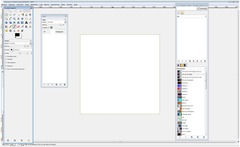
    Good, before you start with this tutorial, notice that I’m from Belgium, and I use the GIMP in Dutch, so I’ll have to translate some things, hope it’ll be clear. Open GIMP and create a new image. The width and height need to be the same, here I’ll use 1920x1920 (pixels).
    Screenshot of step 1
    Click to enlarge
  2. 2
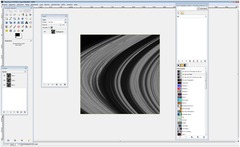
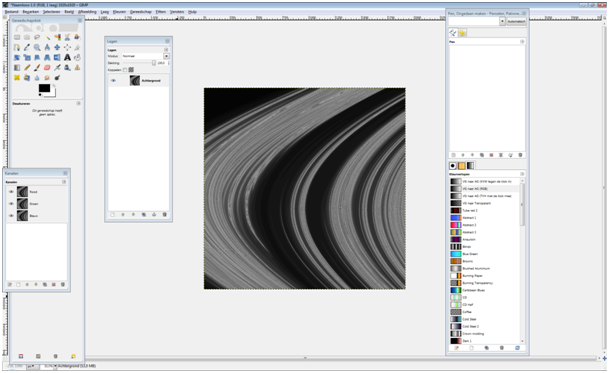
    Go to filters – render – fractal explorer, then go to “fractals” and choose “Saturn”, press ok. Then go to colors – desaturate – second option
    Screenshot of step 2
    Click to enlarge
  3. 3
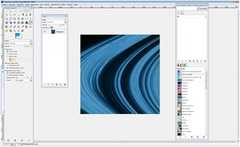
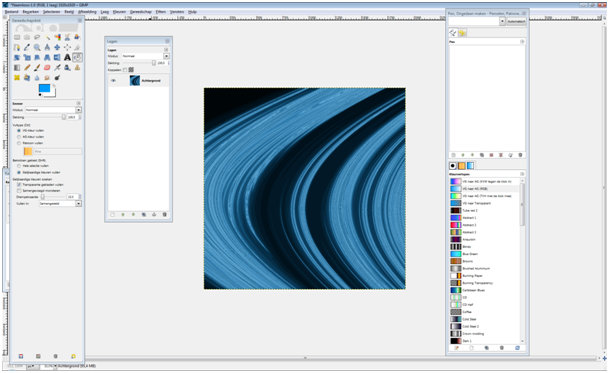
    Make a new, transparent layer and fill it in with a colour, here I use #009cfd (blue) but you can choose whatever colour you like, red, green, orange... Then go to layer mode and choose overlay. Click CTRL+M (or use Image / Merge Image) to merge the image into one remaining layer.
    Screenshot of step 3
    Click to enlarge
  4. 4
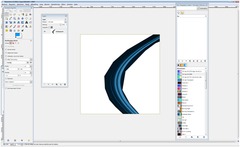
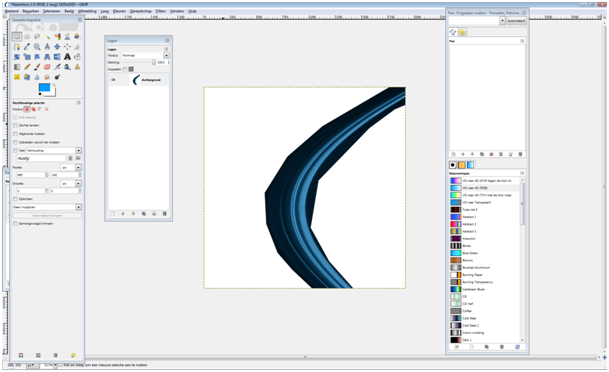
    Then use free selection tool (3rd selection from left) and cut the middle lines out (see screenshot if you don’t understand). Or cut the two big ones out of your picture.
    Screenshot of step 4
    Click to enlarge
  5. 5
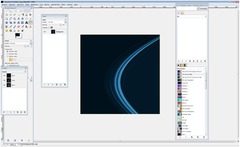
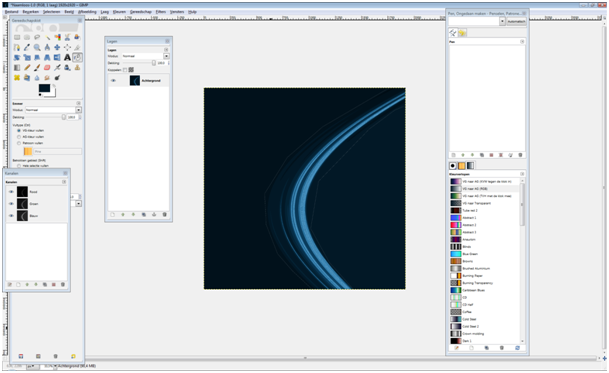
    Now use the "Color picker tool". Well, just use it and fill, select left side color first and fill the white with the "bucket fill tool". The rest of the image should be filled with the right colour. (Notice that the colours on the right and the left side aren’t the same)
    Screenshot of step 5
    Click to enlarge
  6. 6
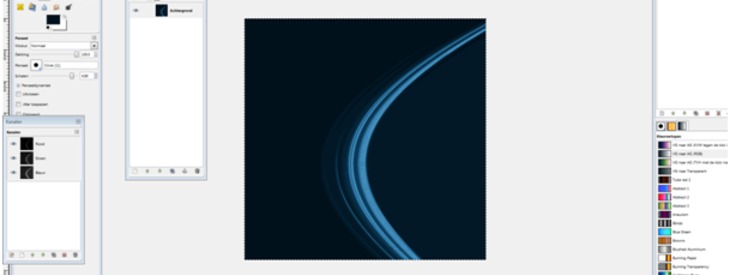
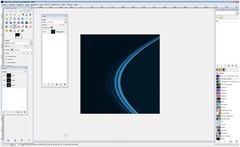
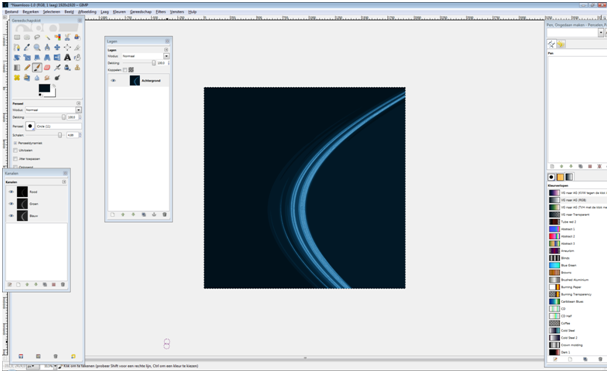
    You’ll see you have some white borders, fill them in with the right colour and you’re done!
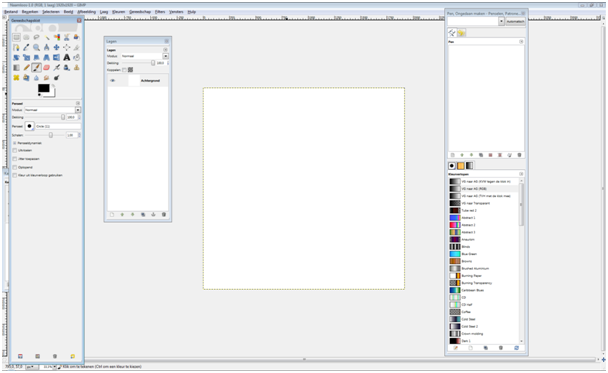
    Screenshot of step 6
    Click to enlarge

This article is licensed under the following license: Attribution-Noncommercial 3.0 Austria

Comments

Post your own comments, questions or hints here. The author and other users will see your posting and can reply to it. Of course, you can also ask in the chat.

Comments are chronologically arranged.

  1. http://www.gimpusers.com/tutorials/create-a-wave-stripe.html Wed 25 Mar 2009 09:09:52 PM CET devvv, 25 Mar 2009 09:09 PM

    easy and cool ;) thanks for the tutorial!

  2. http://www.gimpusers.com/tutorials/create-a-wave-stripe.html Wed 25 Mar 2009 10:47:43 PM CET pikkermaker, 25 Mar 2009 10:47 PM

    ive got a tut but dont know how to write one.
    Anyway, nice tut Faus, cool, thnx.

  3. http://www.gimpusers.com/tutorials/create-a-wave-stripe.html Wed 25 Mar 2009 11:47:14 PM CET Snowey, 25 Mar 2009 11:47 PM

    This can easely be converted to script-fu i presume. No reall human interaction needed :)

  4. http://www.gimpusers.com/tutorials/create-a-wave-stripe.html Sat 28 Mar 2009 07:31:18 PM CET JPEGJedi, 28 Mar 2009 07:31 PM

    That would be nice to have a script for it

  5. http://www.gimpusers.com/tutorials/create-a-wave-stripe.html Tue 21 Apr 2009 07:56:59 AM CEST nalin, 21 Apr 2009 07:56 AM

    nice

  6. http://www.gimpusers.com/tutorials/create-a-wave-stripe.html Wed 01 Jul 2009 09:51:41 AM CEST neil, 01 Jul 2009 09:51 AM

    I think this tutorial is really helpful for me to make a nice waved stripe in GIMP. Thanks for the steps given in to the article that would be help me to understand easily. Keep writing like that.
    <a href="http://www.Webdesignquote.ca">Web Design Quote</a>

  7. http://www.gimpusers.com/tutorials/create-a-wave-stripe.html Wed 01 Jul 2009 09:59:50 AM CEST neil, 01 Jul 2009 09:59 AM

    I think this tutorial is really helpful for me to make a nice waved stripe in GIMP. Thanks for the steps given in to the article that would be help me to understand easily. Keep writing like that.
    http://www.Webdesignquote.ca

  8. http://www.gimpusers.com/tutorials/create-a-wave-stripe.html Sat 11 Jul 2009 04:41:16 PM CEST Faus, 11 Jul 2009 04:41 PM

    http://fc02.deviantart.com/fs43/f/2009/072/b/4/Long_lightning_by_Trash_lyric.png

    Here you can find a waved stripe 1920x1920 px, you're free to download it and use it wherever you want

Registered users can log in (top right of the page) to use their profile name to post comments, request email notification on new comments and attach images (e.g. their versions of the effect) to their postings.

Are you human?

Adobe® Photoshop® is a registered trademark of Adobe Systems, Inc. Linux is a trademark of Linus Torvalds. Ubuntu and Canonical are registered trademarks of Canonical Ltd. | Clock times are shown as CET / CEST | Imprint / Privacy policy | powered by bitfire it services