gimpusers.com logo
German version English version

Not logged in

Sign up! | Lost password?

Latest discussion

  1. gimp-user | today 06:33 AM
    Crashes in GIMP 2.6.6
  2. gimp-docs | yesterday 11:28 PM
    Can the gimp-help-2 module be maintained using Damned-Lies?
  3. gimp-user | yesterday 11:25 PM
    Error on script-fu
  4. gimp-developer | yesterday 10:55 PM
    Summary: How to submit gimp/gegl bugzilla with GIT patch
  5. gimp-docs | yesterday 10:01 PM
    Where have all my pictures gone?

External news

Poll

Did you ever buy products (books, video dvds) about GIMP?

No, never did

Yes, helped alot (please post)

Yes, helped a little bit (please post)

Yes but I was disappointed (why? please post)

See results

Stats

gimpusers.com RSS feed

RSS feed Retweet this!

12 Aug 2006 07:33 PM, by devvv (Bernhard Stockmann)

Rounded Corners

In this tutorial I show you how to easily round off existing hard edges from text or other objects.

This article has been written using GIMP 2.3.11. It's divided into 4 steps and takes about 5 min to complete for an average user. 18217 times read so far. Category: Techniques, required skill: 2 of 5

4 comments have been posted so far.

Available in other languages:

  1. 1
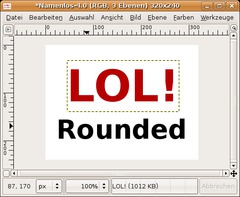
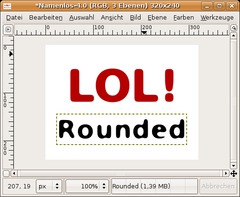
    Open up a new file. Create one or more layers with text on it. The written text should be relatively big in size so that you can see the final effect clearly.
    Screenshot of step 1
    Click to enlarge
  2. 2
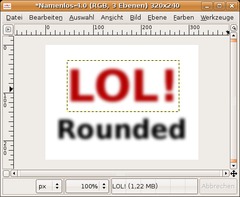
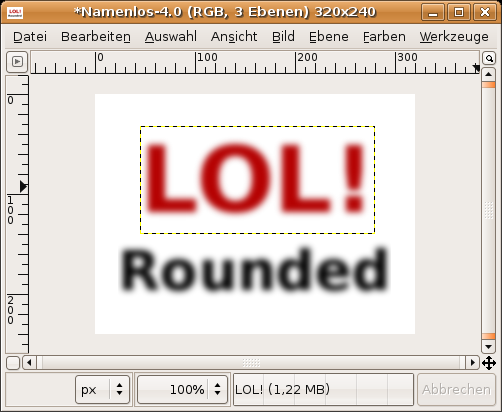
    Now render the text (Layer / Discard Text Information) and apply a Gaussian Blur. -> Filter / Blur / Gaussian with a value of 15. The higher the value the more rounded are the edges at the end. It should look like that now:
    Screenshot of step 2
    Click to enlarge
  3. 3
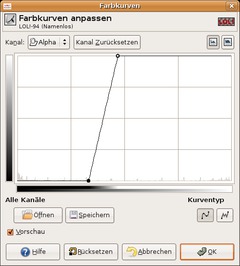
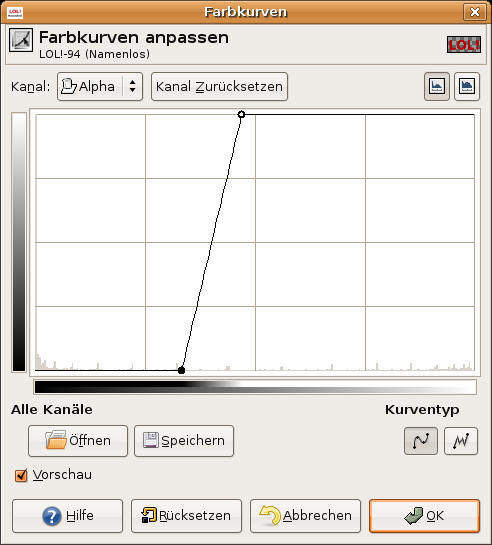
    Click right on on this layer, apply Colors / Curves. At the top left set the channel to "Alpha". After that move the point at the bottom left to the middle, the one top right move at the opposite direction, also towards the middle.

    What happens here? The transparent part (the socalled alpha-channel) is moved together as far as possible until there is no half-transparent space left in the layer. The result of this is that there are either totally visible (100% transparency) pixels or totally invisible pixels (0% transparency).
    Screenshot of step 3
    Click to enlarge
  4. 4
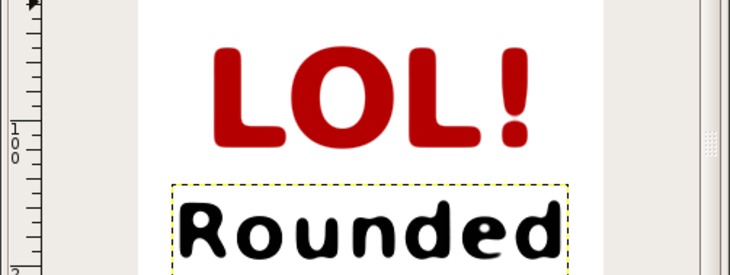
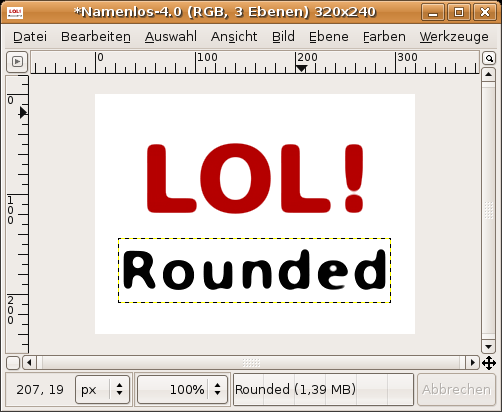
    Thats it! The final result should look like this:
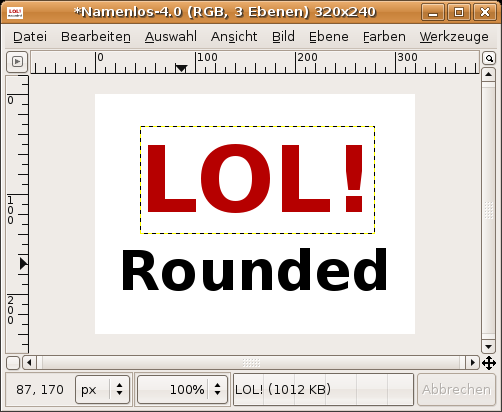
    Screenshot of step 4
    Click to enlarge

This article is licensed under the following license: Attribution-Noncommercial 3.0 Austria

Links (pingbacks)

Comments

Post your own comments, questions or hints here. The author and other users will see your posting and can reply to it. Of course, you can also ask in the chat.

Comments are chronologically arranged.

  1. kranthi, 16 May 2007 04:03 AM

    it so nice send me more tutorial list

  2. henriquemaia, 02 Aug 2007 04:18 PM

    Nice effect. Thanks for posting this.

  3. Gimp Nuub, 16 Feb 2008 06:21 PM

    TNx mate, your rly helped :D

  4. KeKe, 25 Jul 2008 04:14 AM

    What text did you use?

Registered users can log in (top right of the page) to use their profile name to post comments, request email notification on new comments and attach images (e.g. their versions of the effect) to their postings.

Are you human?

Adobe® Photoshop® is a registered trademark of Adobe Systems, Inc. Linux is a trademark of Linus Torvalds. Ubuntu and Canonical are registered trademarks of Canonical Ltd. | Clock times are shown as CET / CEST | Imprint / Privacy policy | powered by bitfire it services